With an AI assistant, a personal options dashboard is an afternoon's work. Bring the idea. The data, the history and the infrastructure underneath are already here.
AMZN smile29 Oct 2026, 10:30 · 20 Nov expiryQQQ implied vs realized30 days · Oct 2025 to Oct 2026TSLA term structureATM vol · 29 Oct 2026 closeNFLX earnings movePriced each day into 20 Oct 2026
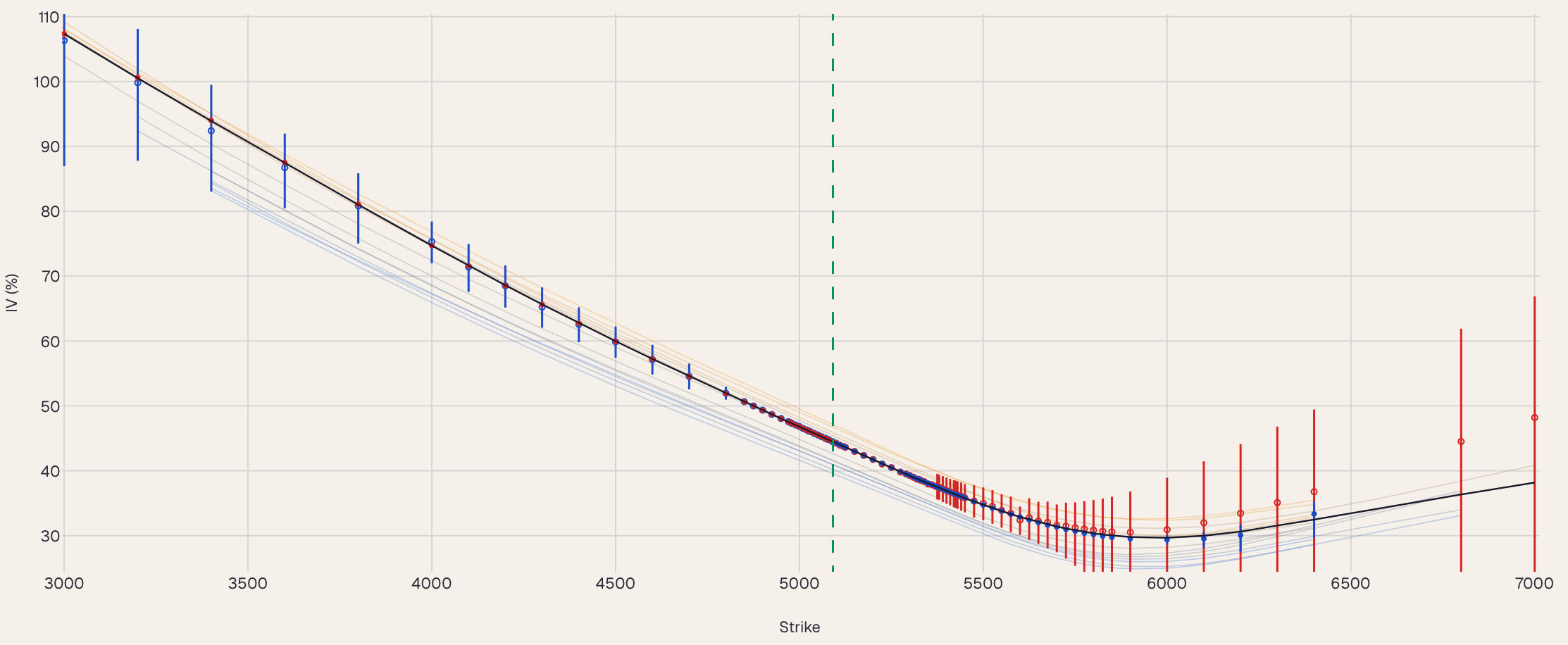
An example dashboard: the calls above, drawn here from the real data they returned. The code is shown being typed; nothing runs in your browser.
Three ways in
Use ours, ask for it, or build it.
Every plan includes all three, on the same data.
01
Open our dashboards
Surfaces, smiles, skew, events, simulations and screeners, ready in the browser. No code. Built by systematic traders.
For anyone who wants answers today.
❯ Compare NVDA's last eight earnings as of September 16, 2026. What did the market price and how much did the stock move?
✓ optionspace.earnings_history
7 of 8 reports landed inside the priced 1-SD move. The only breach was the most recent one (Aug 2026, +8.6% vs 6.8% priced)…
Recorded Claude Code session, excerpt
02
Ask an AI assistant
Connect Claude or another assistant to our tools once. Then ask in plain English; it fetches and charts the data.
Python returns tables as DataFrames; the REST API returns JSON. Your tools, your layout, your alerts.
For quants, developers and teams with their own stack.
Worked examples
From a question to a chart.
Real code, the output it printed and a chart of the data it returned, all from the same run. Copy any of them as a starting point.
The goal: see where 30-day skew sits today for the names you follow, ranked against each name's own past year.
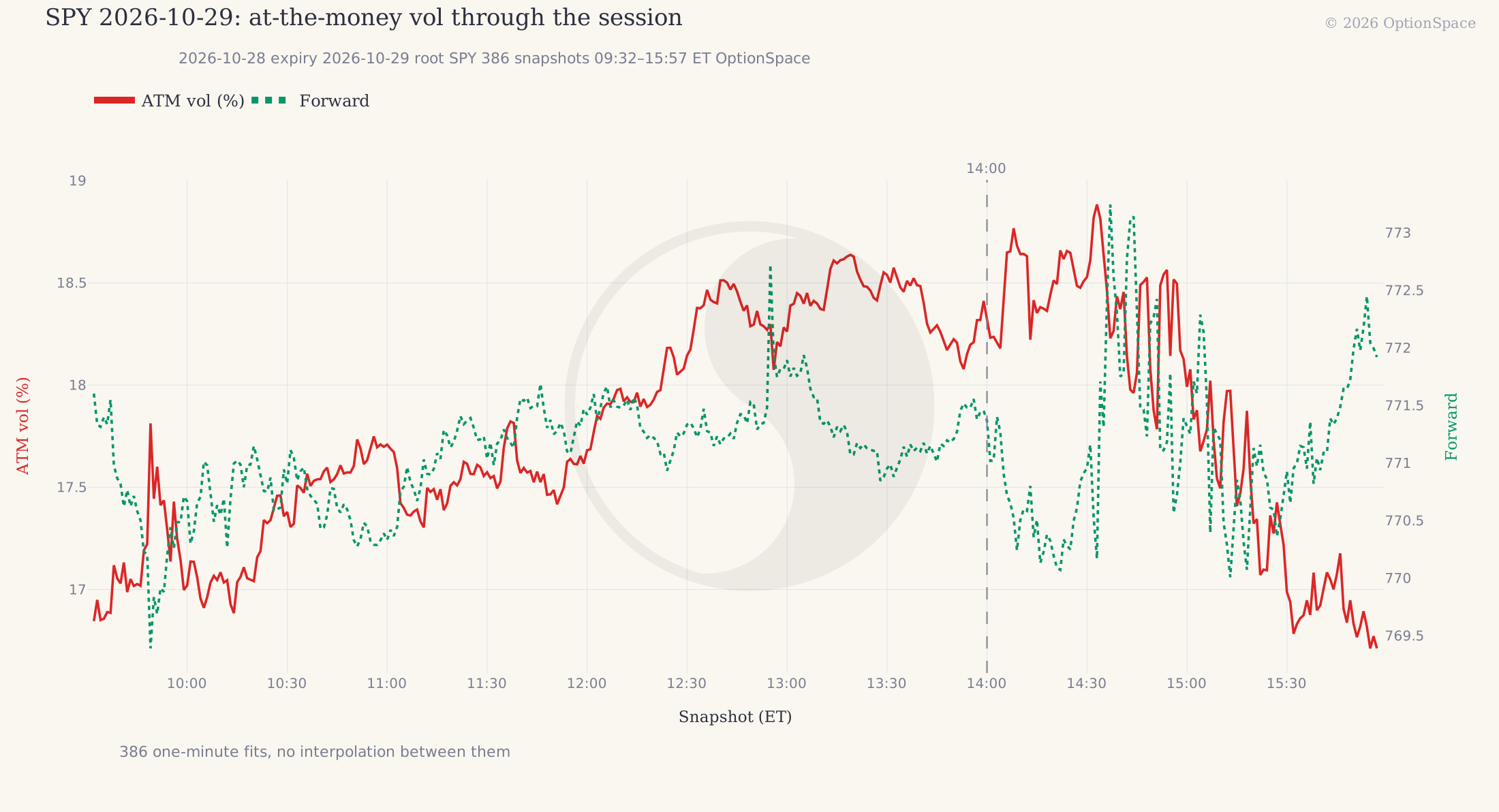
The goal: watch next-day SPY vol minute by minute through a Fed rate decision, and see when the market stopped paying for the event.
The chart this code draws: vol climbs through the day into the 14:00 decision and the press conference after it, then falls away into the close.
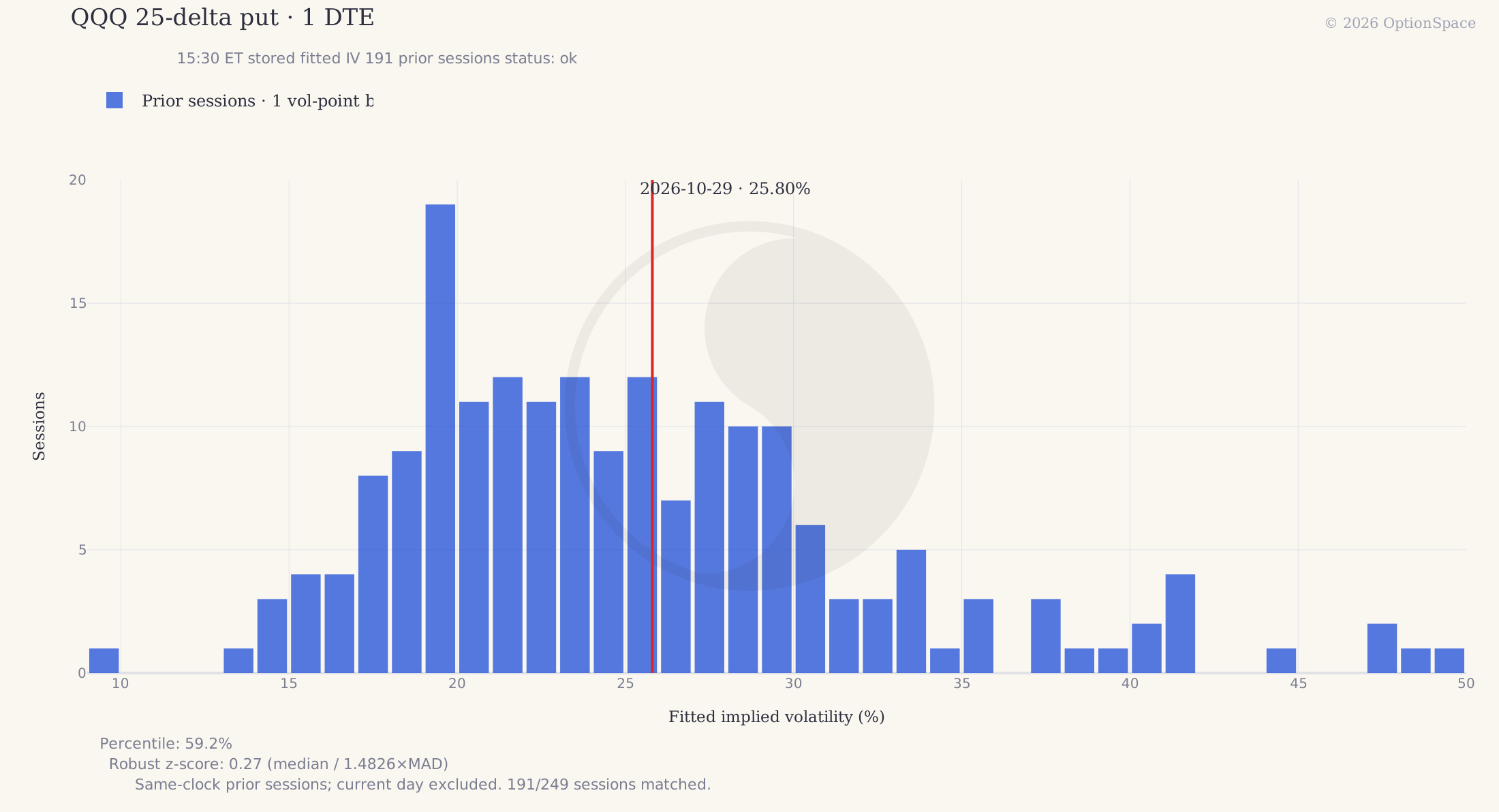
The goal: before selling a short-dated put, see whether its vol is high or low against the same option on every session of the past year: same clock time, same days to expiry.
The chart this code draws: each bar counts past sessions at that vol; the line is today. The server picks the real stored option on each past session.
The goal: find every name whose near-dated vol is above its three-month vol, usually a sign that the market expects an event soon.
The goal: follow one option from the day it appears to the day it expires: its fitted price against the market, its implied vol and its delta.
Where your time goes
You can't build skyscrapers on a shaky foundation.
Vols and greeks are the foundation under every rank, signal and backtest. If they shift when market conditions change, nothing built on them stands its ground.
Is SPY skew high or low?11 Sep 2026, 10:00
63what you will find with a typical vendorabove the middle of its year
23what you will find with OptionSpacebottom quarter of its year
Real data: SPY 30-day 25-delta skew, ranked against its past year every 30 minutes. The two agree until a dividend falls before the expiry. A typical vendor's forward leaves it out, and the ranks split for a month.
An afternoon, not years.
The foundation is the slow part, and it is the same for everyone. Start on top of ours and spend your time on the part that is yours.
Building the data layer yourselfyears of specialist work (our estimate)
Market dataStorageForwards, rates, dividendsAmerican pricingFittingQuality checksRunning it daily
Getting the details right
Your dashboard on OptionSpaceset up in less than two minutes, built in an afternoon
Tell your agentOne line. It installs the package and connects the tools in less than two minutes. Watch it
Copy your keyThe one step that is yours. The agent never sees the key.
Ask or codeA question to your assistant, or a few lines of Python.
Make it yoursYour symbols, your layout, your alerts.
Illustrative. The top bar is the work underneath every chart on this page, the part the largest options firms have refined for decades. The bottom bar is what is left for you.
Start
One line to your agent, or three steps by hand.
Your agent sets it up in less than two minutes; you only copy your key. The same key works for Python, the REST API and the AI-assistant tools.